

How to Use WRL for ARRL Field Day (As An Individual Operator) #
ARRL Field Day is one of the biggest amateur radio events of the year, bringing together thousands of operators to practice emergency communications, test equipment, and make contacts across North America.
World Radio League makes it easy to participate in Field Day whether you’re operating from home, a park, a campground, or a club station.
If you’re using WRL as a club, check this guide for how to operate multi-operator with WRL as a club for Field Day!
Step 1: Create a Free WRL Account #
If you don’t already have a World Radio League account, visit WorldRadioLeague.com and create one for free.
Once your account is created, make sure your callsign and operating location are configured correctly in your account settings.
Your operating location helps ensure maps and logging features work correctly throughout the event.
Step 2: Join the ARRL Field Day Event #
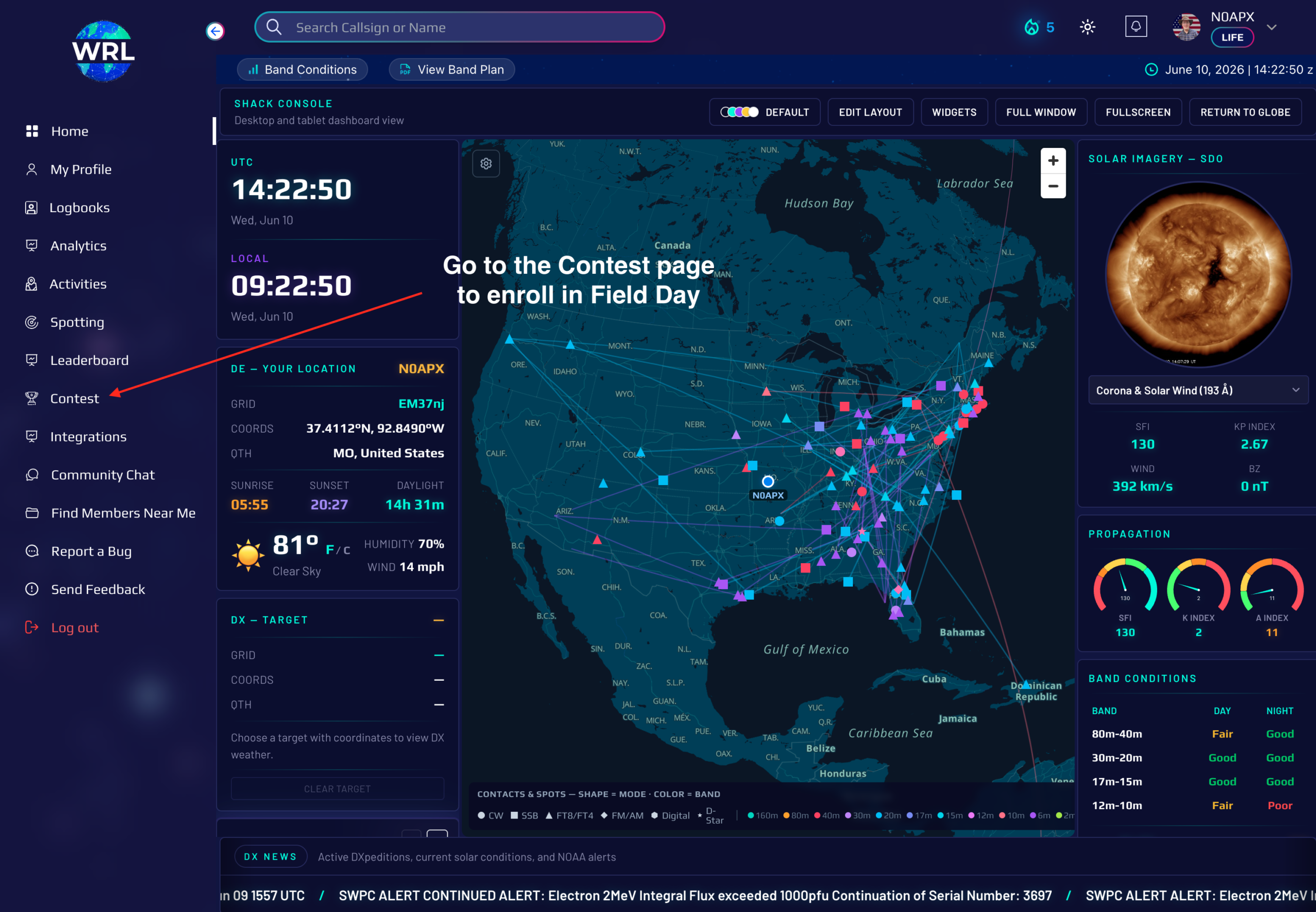
Navigate to the Contest page and select the Upcoming Contests tab.
Find ARRL Field Day and click Join for Free.
WRL will automatically create a dedicated Field Day logbook for the event.
You can access your logbook from either:
- The Contest Page
- Your Logbooks Page
- The WRL Desktop App
- The WRL Mobile App
Step 3: Configure Your Logbook #
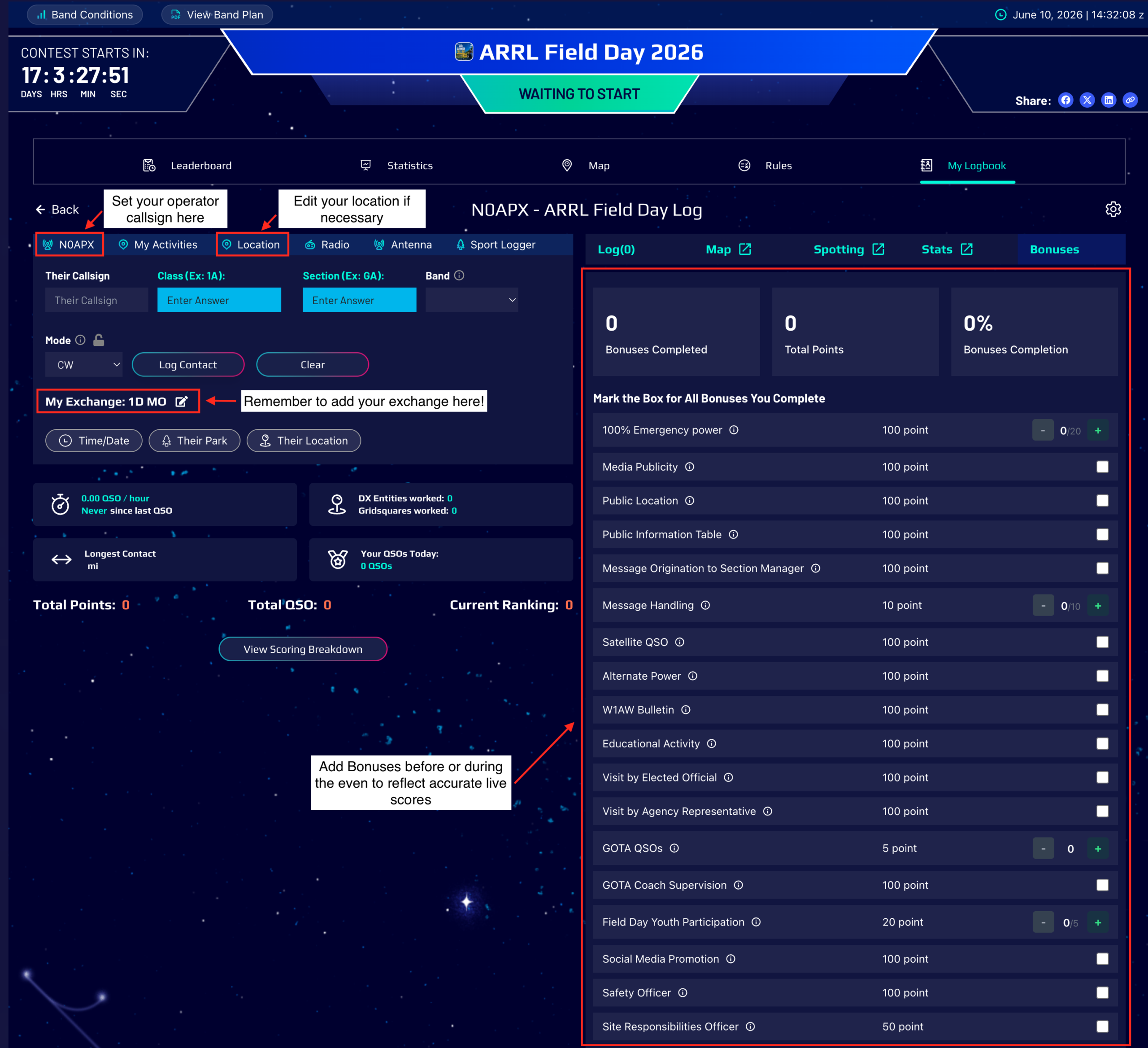
Before you begin operating, verify the following settings:
Station Callsign #
Enter the callsign you will be using during Field Day.
Operating Location #
Verify your operating location is correct.
Contest Exchange #
Enter your Field Day exchange information, including your class and ARRL section.
This allows WRL to automatically include your exchange information while logging contacts.
What Are Class and Section? #
ARRL Field Day stations exchange two pieces of information during every contact: class and section.
First Part of the Exchange: Operating Class #
The class is the number of transmitters + a letter representing your operating class.
The number indicates how many transmitters are on the air at the same time. When operating as an individual with one radio, this is just “1”. But if you have multiple radios/transmitters operating simultaneously, this will be 2 or higher.
1 = 1 transmitter on the air, 2 for two transmitters on the air, etc.
The letter represents your operating class:
A = club/group portable
B = one or two person portable
C = mobile
D = home station using commercial power
E = home station using emergency power
F = Emergency Operations Center
Putting it together, here are examples of the first part of the exchange:
- 1D = One transmitter operating from home on commercial power
- 1E = One transmitter operating from home using emergency power
- 2A = Two transmitters operating at a club or portable Field Day site
- 1B = One transmitter operating portable away from home
Second Part of the Exchange: ARRL Section #
Section identifies your ARRL section, which is based on your geographic location. Your ARRL section is similar to the abbreviation for your state, but some states are large and are broken into multiple sections.
Examples include:
- MO = Missouri
- EMA = Eastern Massachusetts
- STX = South Texas
- WPA = Western Pennsylvania
If you’re unsure of your class or section, you can check the reference of ARRL sections here to find your section.
The Full Exchange Together: Section + Class #
Here is how you will say your full exchange on the air:
- 1A MO (Said on the air “one alpha Missouri” or “one alpha in mike oscar”)
- 2B GA (Said on the air “Two bravo Georgia” or “Two bravo golf alpha”)
Make sure to say your exchange to the other operator, and log their exchange back to you.
Tip: Once you enter your class and section in WRL, they’ll be displayed in your Field Day logbook so you can quickly reference them throughout the event.
Step 4: Get On The Air #
Once your setup is complete, you’re ready to start making contacts.
The Field Day logbook includes fields specifically designed for ARRL Field Day operation.
As contacts are logged, WRL automatically tracks:
- Callsigns worked
- Sections worked
- Contact history
- Mapping information
- Duplicate contacts
If a station has already been worked, WRL will alert you so you can avoid unnecessary duplicate contacts.
Step 5: Use WRL Features During the Event #
Track Your Progress #
Monitor your contacts throughout the event and see your activity in real time.
Watch the Map #
Use the WRL map to visualize where your Field Day contacts are coming from.
Find Stations with Spotting #
Use WRL spotting tools to discover active stations and locate new contacts.
Use CAT Control #
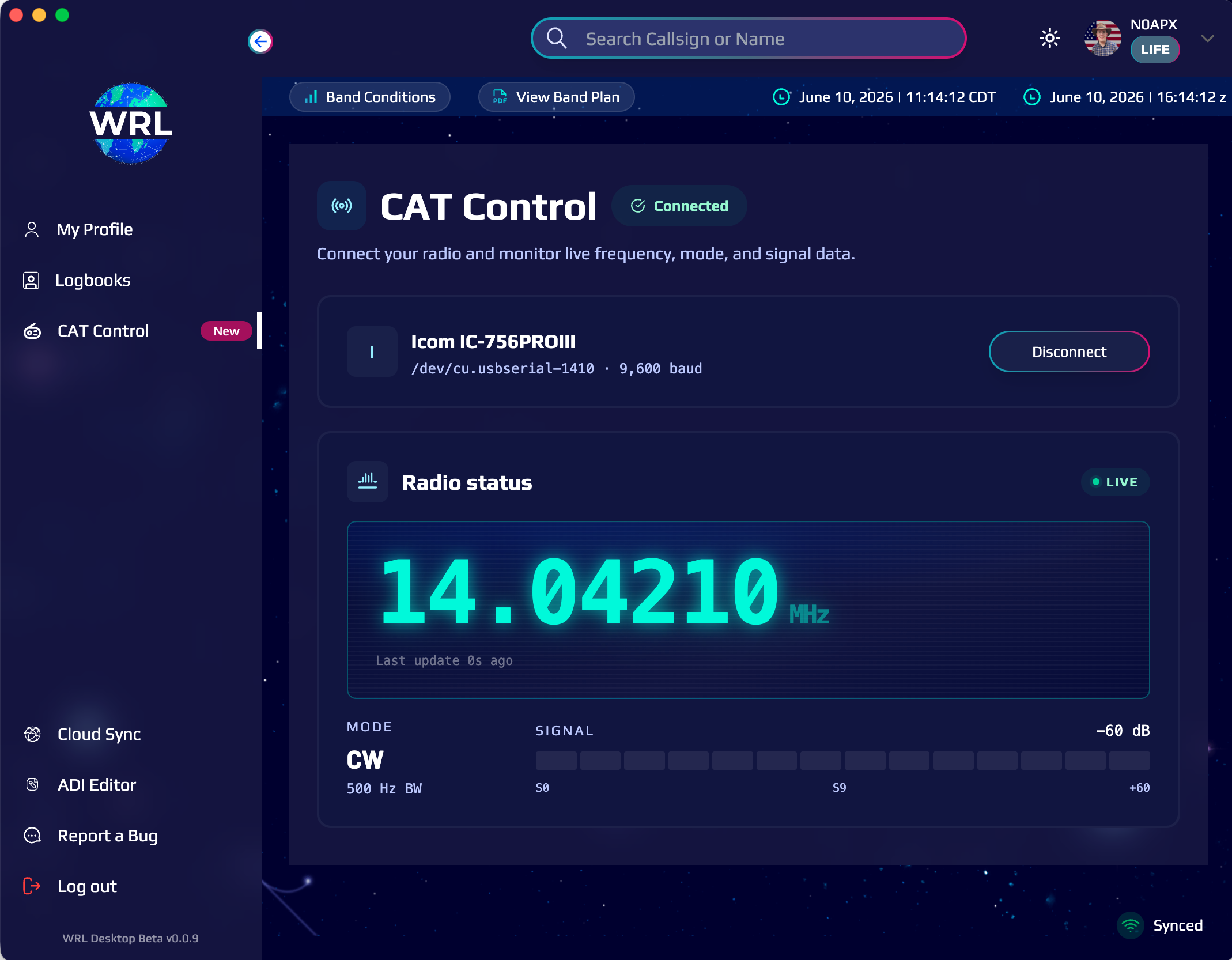
If you’re using the WRL Desktop App, CAT control can automatically capture radio information and streamline logging.
Operate Portable #
WRL works great for portable Field Day operations from parks, campgrounds, emergency power locations, and temporary operating sites.
Step 6: Export Your Log #
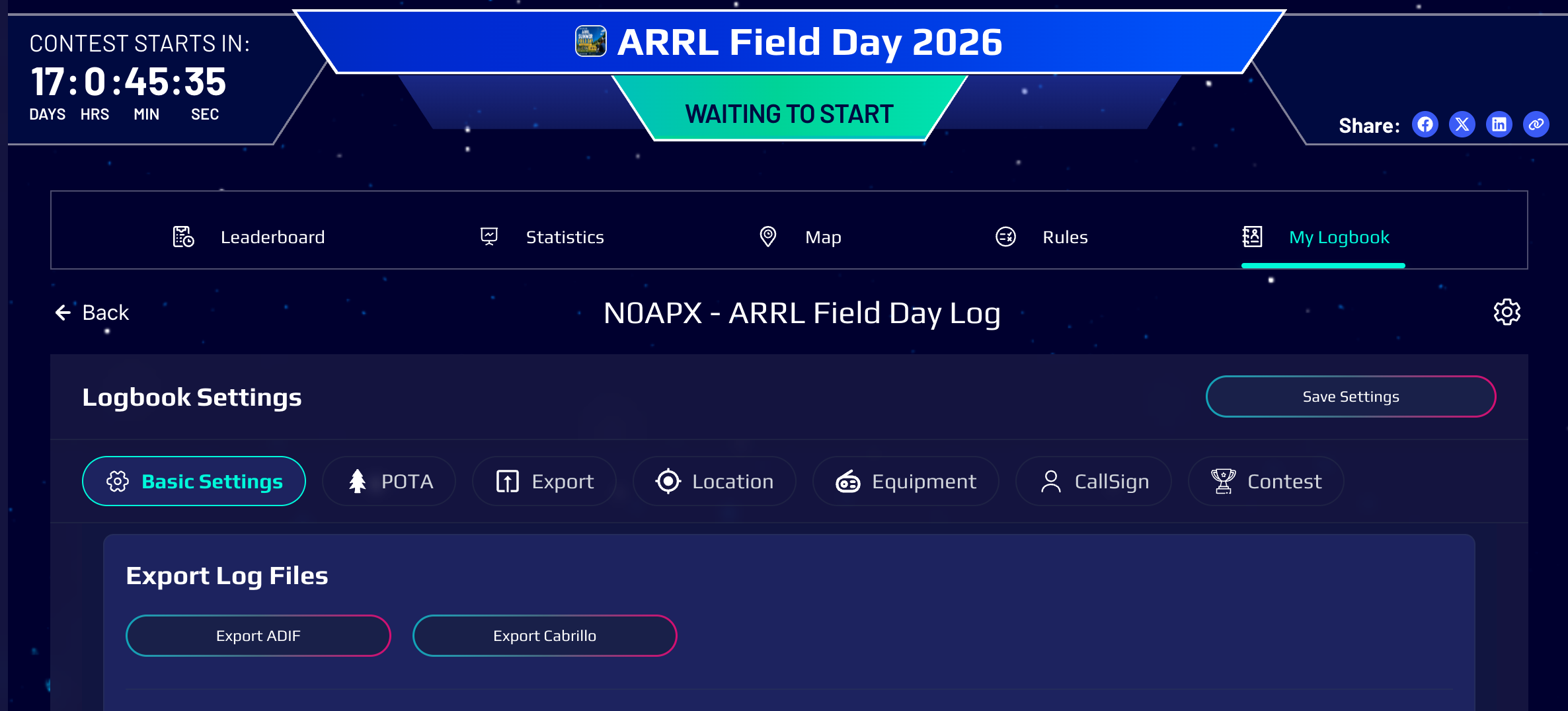
After Field Day is complete, you can export your contacts from WRL.
To export:
- Open your Field Day logbook.
- Choose Export.
- Download your Cabrillo file.
Keep your exported log available for any post-event log submission requirements.
Frequently Asked Questions #
Do I Need Internet Access? #
NO! The World Radio League Desktop App and Mobile App work completely offline, and they will sync your contacts to the cloud when an internet connection is available.
Certain features, such as callsign lookup and syncing contacts across multiple devices, are not available while offline.
Can I Operate Portable? #
Absolutely.
Many operators use WRL while operating from parks, campsites, emergency power locations, and temporary Field Day stations.
Can I Use CAT Control? #
Yes.
The WRL Desktop App supports CAT control, allowing radio information to be captured directly from your station.
Can I Also Activate a POTA Park During Field Day? #
Yes.
If you’re operating from an eligible park, you can add your park information in Quick Settings and log contacts for both activities simultaneously.
Is WRL Free For Field Day? #
Yes.
Joining the ARRL Field Day event and using WRL for logging is completely free.