

How to Use WRL for Club Logging for Winter Field Day #
World Radio League makes club logging for Winter Field Day SUPER easy, with very minimal setup. It supports multi-operator logging, ADIF Export, Winter Field Day specific logging templates with section and class, and everything you need to have an AWESOME Winter Field Day!
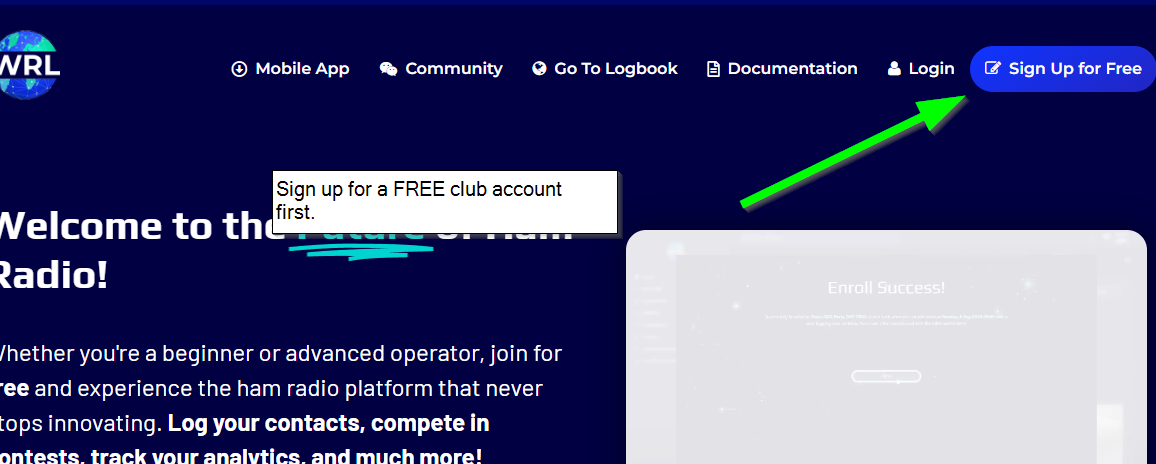
Step 1: Create a club account #
If you don’t already have a club account, create a new account using the club call sign / email.
Make sure to save the username and password so you can share it with the other operators.
All the operators of the club station should log in with this account for multi-operator logging.
You can set your club location during the sign up process, which will be your default location for new logbooks. You can always update this or add more operating locations later.
Step 2: Enroll In the Winter Field Day contest #
Go to the contest page in WRL, find the Winter Field Day contest, and click enroll.
By enrolling, World Radio League will automatically create you a Winter Field Day Logbook! You can access your logbook anytime by going to the contest page, or by going to your logbook page.
The contest page is best because you can view live updates from other operators.

Step 3: Set Up Your Logbook #
Set the Operator and Station Callsign #
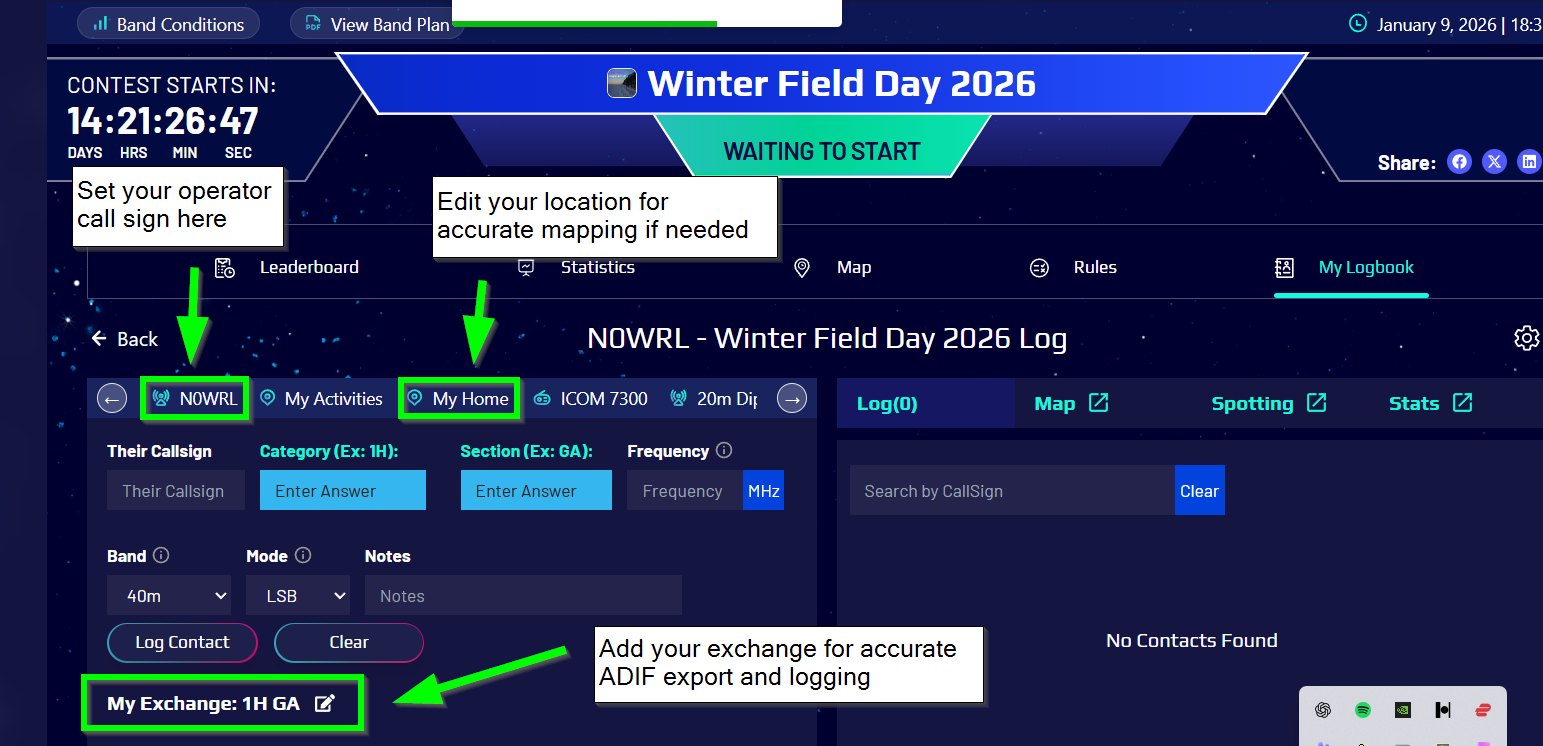
Your logbook will already be created, and now you can set your station call sign and operator call sign in the quick settings.
You can now sign in to www.WorldRadioLeague.com on multiple computers, and each operator can set their call sign.
You can also have some operators use the mobile app.
The logs will automatically sync across all devices as long as you have internet!
Be careful not to change the station call sign, because it will update it for all users.
Check Your Operating Location #
In order for your mapping to work correctly, use the Quick Settings to update your operating location if needed. You can use bulk update later if you need to update this.
Enter Your Contest Exchange #
Entering your contest exchange makes it easy for everyone to keep track of your section and class.
Step 4: Start Logging! #
With everything set up, you can start logging!
The logbook interface is made for Winter Field Day and already has the section and class included.
You can see your log and update it as you go.
WRL will detect and flag duplicates across all your operators as you go, making it easy to check for dupes as you go.
Use the contest page to see how you rank to compared to other clubs.
Use the map to track and share your contacts.
Use spotting to track stations, and combine WRL with CAT control too if you want!
You can even add POTA data into your logbook, so that your club can complete a POTA activation and Winter Field Day contest at the same time.
Step 5: Export ADIF and Upload to Winter Field Day Website #
After the contest is complete, export your ADIF and upload it to the Winter Field Day website.
FAQ #
Can I do a POTA Activation and Winter Field Day at the same time? #
Yes! Just add the Park details in the Quick settings and you can do POTA and Winter Field Day at the same time.
Do I need an Internet connection to use WRL? #
In general, yes you need internet to log into www.WorldRadioLeague.com.
You can also download our mobile app which works offline too, and it will sync your contacts to the cloud when you get a connection: https://worldradioleague.com/mobile-apps/
However, multi-operator logging features are not available when you are offline on the mobile app.